
Trifleck is an Android app development company that helps businesses plan, build, and improve products for the Android ecosystem. Our Android app development services cover strategy, UX, native engineering, testing, launch, and ongoing support. We work with Kotlin, Java, Android Studio, and Android frameworks to create dependable apps built for everyday use.
Kotlin-first
Jetpack Compose
Real-device QA
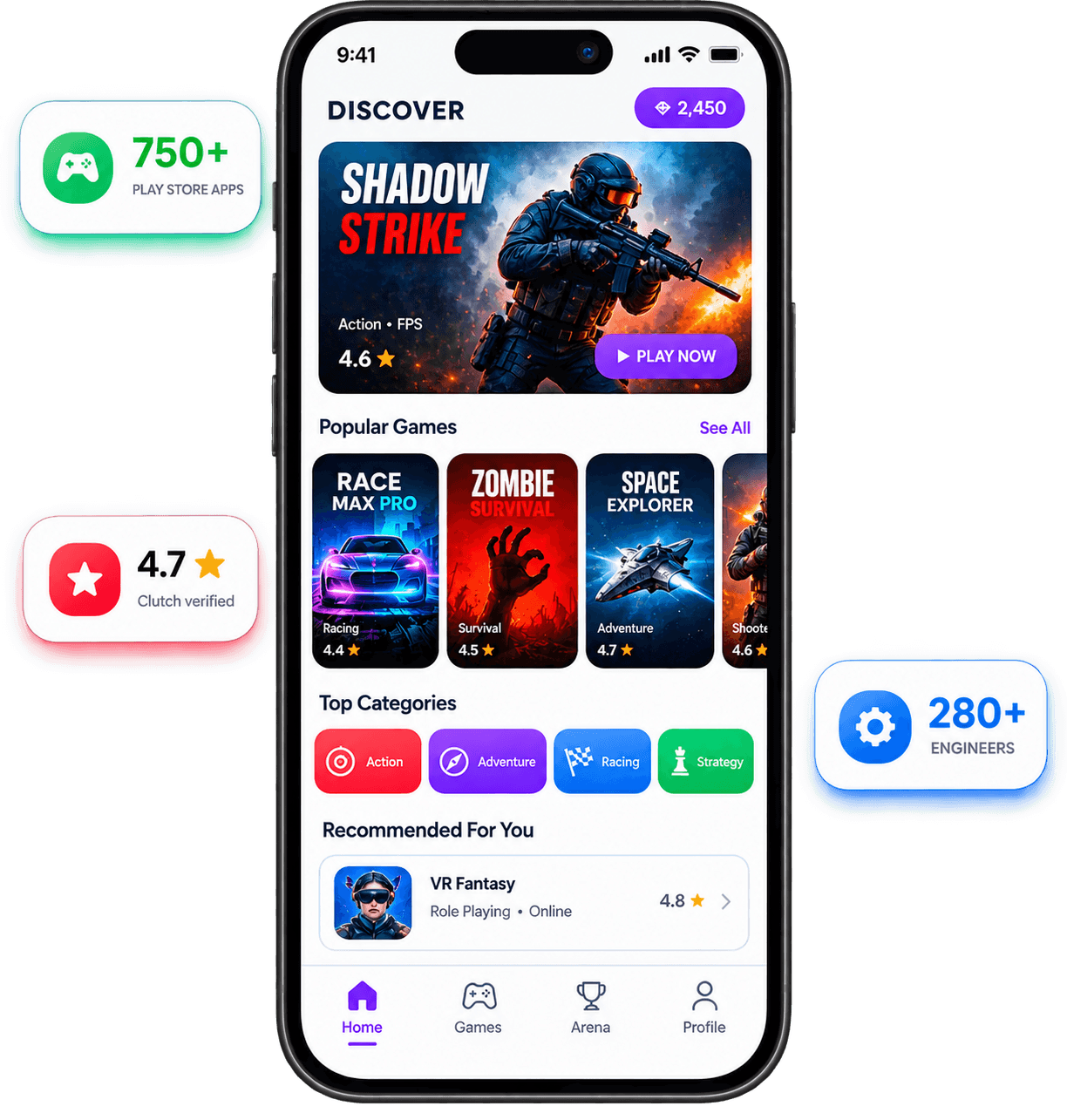
An Android app development company is there to make the right product decisions before those decisions become expensive to undo. That includes deciding what belongs in the first release, how the app should be structured, which systems it needs to talk to, and what the Android experience should feel like once it is in a customer’s hands.
For Trifleck, the job does not end when the build runs successfully. Android products have to deal with different devices, screen sizes, OS versions, permissions, network conditions, and user behavior. We account for those variables early, so the product is easier to release, maintain, and improve instead of becoming harder to work with after every update.
Trifleck works from the product outward. Before development starts, we look at what the app needs to accomplish, which features deserve priority, and what can wait for a later release.
Native Android decisions are made around the product itself. Kotlin, Jetpack Compose, AndroidX, and supporting libraries are chosen because they suit the build not because they look impressive in a technology list.
Android app development costs depend on what the product actually needs. Projects can start from $20,000 with the final estimate shaped by feature depth, backend work, integrations, security requirements, device coverage, and the condition of any existing codebase.
Clients should not need their original development partner forever. Source code, project access, documentation, release credentials, and handover materials should remain with the business that paid for the product.
Android testing needs a wider lens than “it worked on our phone.” Device behavior, OS differences, permissions, interrupted connections, screen sizes, and critical user journeys all need to be tested deliberately.
Android projects get expensive when technical shortcuts are discovered too late. Trifleck approaches development with the architecture, tooling, testing, and release requirements in view from the start, so the app is easier to build on once the first version is live.
We start with the product idea, the customer, and the business behind it. What problem are we solving? Who cares enough to use it? What assumption needs proof first?
This is where good MVPs are usually won. We separate what the product needs on day one from what can wait until users give us a reason to build it.
We turn the agreed scope into user flows, requirements, technical decisions, and clear development milestones. Everyone knows what is being built before engineering starts moving.
We design around the actions users came to complete. Screens stay focused. Journeys stay clear. Anything that creates friction without adding value gets questioned.
Our app development and engineering teams turn the approved scope into working software. Frontend, backend, APIs, databases, and integrations come together around the core product experience.
We test the flows that matter most. Bugs, broken states, confusing interactions, performance issues, and compatibility problems are addressed before they start shaping a user’s first impression.
Once the product is ready, we help move it into production and prepare the release for the people it was built for. The goal is not simply to launch. It is to start learning.
The roadmap gets smarter after launch. We use feedback, behavior, and early traction to decide what deserves improvement, what should be added, and what was never needed in the first place.
Builds should not depend on one developer remembering the release steps. Automated pipelines can handle compilation, tests, signing, environment configuration, and distribution to internal or production tracks. That gives teams a repeatable release process and reduces the number of manual mistakes around shipping.
Bring us the specification, repository, existing app, or simply the product problem. Trifleck can help determine what should be built, what should be kept, and which technical decisions need to be settled before development moves forward.
Trifleck handles Android app development services for new products as well as apps already carrying users, integrations, and technical debt. That can mean a native Kotlin build from scratch, a Java application that needs careful modernization, an enterprise app tied into internal systems, or an Android product that now has to work beyond the phone.
For a new native build, we work in Kotlin with Android Studio and the Jetpack libraries that suit the application. Compose handles new UI work where it is the better fit; Room, Hilt, Coroutines, Flow, WorkManager, and Retrofit come into the picture when the product actually needs them. The stack follows the app, not the other way around.
Off-the-shelf patterns stop being useful when the app has its own rules. As a custom Android app development company, Trifleck builds around workflows, permissions, pricing logic, field operations, customer journeys, or internal processes that are specific to the business. The data model, API contracts, and interface are shaped around those requirements rather than bent around a template.
Android users notice when an interface ignores the platform. We design for Android navigation, system bars, back behavior, dynamic layouts, accessibility, dark mode, and different screen classes, then carry that work into Jetpack Compose or XML. Material 3 gives us a system to work from; it does not dictate what the finished product has to look like.
An older Android codebase does not automatically need a rewrite. We first look at where the friction actually sits: Java-heavy modules, deprecated APIs, old Gradle configuration, XML screens, tightly coupled logic, or dependencies blocking newer Android SDK targets. Migration can then happen module by module while the live product keeps moving.
A watch, television, foldable, tablet, and dashboard are not five versions of the same phone interface. Wear OS calls for glanceable interactions. Android TV introduces focus and remote navigation. Android Auto has strict driver-distraction rules. Tablets and foldables need layouts that use the extra space rather than simply stretching it.
Once an app is live, Android keeps changing around it. Target API deadlines move. SDKs and dependencies are updated. Store policies change. Production crashes reveal edge cases that did not appear in staging. Our ongoing Android app development services can cover version upgrades, dependency work, Crashlytics review, performance fixes, AAB preparation, staged releases, and Google Play submission support.

This is the working side of Android app development: engineers in Android Studio, designers checking Material behavior on-device, QA moving the same build across different Android configurations, and code being reviewed before it reaches a release branch.
Features broken down before the build starts
Kotlin development in Android Studio
Jetpack Compose and Material 3 in context
The same build, different Android hardware
Architecture, dependencies, and release readiness
The best way to judge Android app development is to look past the technology list and see what changed for the business. The work below focuses on the problem behind the build, the systems involved, and the result delivered, not a gallery of screens with no context.

Fintech · Mobile App · Flutter · Android + iOS
Lendora Capital was managing onboarding, loan records, repayments, and customer updates through paper, spreadsheets, and phone calls. Trifleck helped move that workflow into Lendora Pocket, a mobile lending product with digital KYC, structured loan management, EMI tracking, cloud infrastructure, and a backend built to support the lending operation as volume increased.
Development Timeline
Platform Coverage
Customer Onboarding
Tell us what the product has to do, what already exists, and where the difficult parts are. We can talk through the Android requirements before turning them into a development scope.


Based On Clutch Review

Based On Clutch Review
Based On Clutch Review
Based On Clutch Review
Based On Clutch Review
Awards are useful when they mean something. Client evidence is better. Trifleck currently has six published reviews on Clutch, including a mobile app engagement rated 5.0 overall. That project also gives us something more useful than a badge: reported movement in engagement, performance, retention, and operational efficiency.
A useful estimate starts with the parts of the app that actually change the workload. Choose where the product needs to run, how much functionality sits behind the interface, the level of design work involved, and the integrations you already know you need. We’ll turn those choices into an initial Android app development cost range before you commit to a full scope.
Not a single number pulled from a generic pricing table. Your estimate should show what is pushing the budget up or down and where the uncertainty still sits.
Preliminary low-to-high development range
Expected delivery window
Suggested Android team structure
Major technical and integration risks
Native vs. cross-platform recommendation where the choice is not obvious
Pricing an app by screen count is how bad estimates happen. At Trifleck, Android app development typically falls between $20K and $150K+. What moves the number is what sits underneath the interface: business logic, APIs, user roles, offline behavior, security, third-party systems, and the range of Android devices the product needs to support.
Tier 1
8–12 weeks · 2–3 specialists
This is the “prove the product before funding the roadmap” bracket. Best for MVPs and focused apps with one clear use case.
Native Kotlin + Jetpack Compose
Core user flows and authentication
REST API / backend connection
Payments where required
Firebase push notifications
Google Play release package
QA across agreed Android devices
Tier 2
12–20 weeks · 3–5 specialists
Here, the cost starts to sit in the seams between systems. Multiple roles, custom workflows, live data, payments, admin tools, and third-party integrations usually matter more to the budget than another handful of screens.
Kotlin + Compose + Material 3
Custom backend/admin portal
REST or GraphQL integrations
Real-time data or messaging
Room caching and offline states
Analytics + Crashlytics
Broader device and OS testing
Google Play rollout support
Tier 3
6–12+ months · 6–12 specialists
At this level, you are paying as much for certainty as functionality. Healthcare, fintech, and enterprise products often carry stricter rules around identity, sensitive data, access, auditability, infrastructure, and failure handling.
SSO, MFA and role-based access
HIPAA safeguards where applicable
PCI-DSS considerations for payment flows
Enterprise / legacy integrations
Offline sync and background processing
Security review and penetration testing
CI/CD and controlled releases
Senior Android Engineer
Mid-Level Android Engineer
Junior Android Engineer
U.S. Android developer pay currently averages about $61/hour, while senior and specialist rates can run materially higher.
If you’re comparing Android app development services, send us the feature list or existing build. We’ll show you what is actually driving the budget and price the scope from there.
Android app development rarely runs late because of one big surprise. It is usually the smaller dependencies that stack up: an API that changes halfway through, an approval that takes a week, a device-specific issue that appears late, or a security requirement nobody scoped at the start. For most projects, the realistic delivery window falls into one of these three ranges. The cleaner the inputs are at kickoff, the easier it is to hold the date.
A focused build with a small feature set, a ready backend, and limited integrations. This window leaves enough room to shape the core flows, build the app, test on agreed devices, and prepare the first Google Play release.
A better fit for products with custom UX, user roles, payments, live data, admin tooling, or several third-party systems. More moving parts mean more integration work, more edge cases, and a broader QA cycle.
Healthcare, fintech, and larger enterprise apps often need SSO, audit trails, complex permissions, legacy integrations, penetration testing, or compliance work around HIPAA and PCI-DSS. Those checks add time for good reason.
Our Android app development services follow six working stages. They are not rigid handoffs. Design can expose a technical issue; engineering can send a flow back for simplification; QA can change a release decision. That is normal. The value is in catching those calls while they are still cheap to make.
We begin with the product, not a backlog template. Who is using it? What already exists? Which systems have to connect? Which devices matter? What data cannot be mishandled?
We also look for assumptions hiding inside the brief: an API that has never been tested, an admin workflow nobody owns, or a “simple” integration with undocumented limits. If there is confidential IP or commercial information, the NDA can be signed before detailed discovery starts.
What you will get: Prioritized scope · Open questions · Risk notes · Initial estimate
We map the important flows before polishing screens. Sign-up, payment, permissions, failed requests, account recovery, offline states, and interrupted tasks all get considered early. This is where weak logic usually shows itself.
It also gives engineering a clearer view of state, navigation, data dependencies, and what has to survive when the app is resumed after hours or days.
What you will get: User flows · Wireframes · Navigation map
Some questions are better answered with a prototype than another meeting. A camera flow, Bluetooth connection, map interaction, third-party SDK, offline sync, or unusual Compose behavior may need a quick technical spike.
In parallel, the interface moves into Figma with Android patterns, accessibility, and responsive states accounted for. The point is not to “design everything first”; it is to remove uncertainty before it reaches expensive code.
What you will get: Clickable prototype · UI direction · Technical spikes · Integration decisions
Development moves through complete journeys rather than isolated screens. A feature is reviewed with its UI, API calls, validation, loading states, analytics, and failure behavior connected.
New native work is typically built in Kotlin and Jetpack Compose, with Hilt, Room, WorkManager, Retrofit, or Firebase added where the product actually needs them. Each build should answer a real product question, not just show that tickets moved to Done.
What you will get: Working builds · Completed journeys · Sprint reviews
QA checks the conditions customers will create without trying: weak networks, denied permissions, background restrictions, old sessions, interrupted installs, different screen sizes, and OEM-specific behavior.
Security-sensitive products also get the checks required around access, encryption, auditability, HIPAA-related safeguards, or PCI-DSS payment controls. Bugs found here are cheaper than reviews, refunds, or emergency patches after release.
What you will get: Regression results · Device QA report · Security findings
The final build is packaged as an AAB and prepared for Play Console release. Depending on the product, we may use internal, closed, or staged rollout tracks before full production.
Source code, release access, signing credentials, and agreed documentation stay with the client. After launch, Crashlytics, analytics, reviews, and support tickets tell us what deserves attention next.
What you will get: Production AAB · Play Console release · Handover package · Post-launch support plan
Bring the brief, wireframes, or existing build. We can map the work before a date gets promised.
Start with the roadmap, not the framework. If Android is the main product and the app leans heavily on the device, native Kotlin usually earns its keep. If the commercial brief is to get Android and iOS into market together, sharing code can make more sense. We make that call before the estimate because it affects build speed, QA, release planning, and maintenance later.
Best fit when Android leads the roadmap
Choose native when Android itself is part of the product advantage. Kotlin gives the team direct access to the Android platform, while Jetpack Compose works well for modern interfaces that need to adapt across phones, tablets, and foldables.
On-device ML, camera, ARCore, or media processing is central
BLE, NFC, biometrics, sensors, or background services matter
Wear OS, Android TV, Android Auto, tablets, or foldables are in scope
Performance problems would directly hurt the experience
The roadmap is Android-first for the foreseeable future
New Android APIs need to be available early

Best fit when both platforms matter from day one
Shared code is a commercial decision, not a downgrade. Flutter and React Native can make sense when the Android and iOS products are expected to behave largely the same. KMP takes a different route: business logic can be shared while the platform experience remains native.
Android and iOS need to launch close together
The product is mainly forms, feeds, accounts, dashboards, or commerce
Budget is better spent on product depth than two separate mobile teams
A shared release cadence matters
The existing team already knows React or Flutter well
Native UI still matters, but shared business logic has value

Settle the platform question before estimating the build. We can compare both routes against the features, budget, team, and release plan.
Industry experience matters because it shortens the learning curve. A healthcare app raises different risks from a retail app; a warehouse tool behaves nothing like a streaming product. Trifleck works across healthcare, fintech, ecommerce, logistics, education, real estate, manufacturing, and other digital product categories, with the Android architecture shaped around the job at hand.
Lending, wallets, payments, trading, and banking products often need KYC/KYB, MFA, biometric login, secure storage, transaction history, and careful session handling. PCI-DSS also matters where cardholder data is involved.

Patient apps can connect appointments, telehealth, prescriptions, records, or remote monitoring. Where PHI is involved, access control, encryption, audit trails, secure APIs, and HIPAA-related safeguards need to be planned early.

For shopping apps, the hard parts are usually catalog speed, search, checkout, stock accuracy, loyalty, and order tracking. Google Pay, push notifications, and commerce-platform integrations often do the heavy lifting.

Driver and field apps put Android hardware to work. GPS, background jobs, proof-of-delivery, camera capture, barcode scanning, offline queues, and dispatch notifications need to hold up away from perfect Wi-Fi.

Property apps often combine map search, listing feeds, saved searches, bookings, document flows, lead routing, and agent tools. Tablet layouts can matter for teams working in offices and the field.

Playback is the product. Media3, DRM, casting, downloads, subscriptions, recommendations, and Android TV support can shape the technical plan before the player ever reaches design review.

Learning products may need downloadable lessons, assessments, live classes, progress tracking, LMS integration, parental controls, and tablet-friendly layouts. Offline access often matters just as much.

This is where Android moves beyond consumer phones. Rugged devices, BLE equipment, barcode scanners, kiosk mode, MDM, offline operation, and factory-floor workflows can dictate the architecture from day one.

Some apps only need to be excellent on a phone. Others have to follow the user onto a tablet, watch, television, vehicle display, or rugged handheld. That decision belongs near the start of Android app development, because every new surface changes the interface, input model, background behavior, and QA plan.
Phone layouts cannot simply be stretched onto a tablet. We account for compact and expanded screen sizes, orientation changes, multi-pane layouts, keyboards, and larger touch targets so the extra space is actually useful.
Foldables introduce another variable: the screen can change while the app is open. Layouts need to survive fold and unfold events, window resizing, tabletop posture, and state restoration without losing the user’s place.
A watch app has seconds, not minutes, to be useful. We design around short interactions, notifications, tiles, complications, health data, and companion experiences instead of shrinking the phone app onto a wrist.
Television changes everything about navigation. The experience has to work from across the room, respond cleanly to D-pad input, manage focus correctly, and make search, playback, casting, and subscriptions easy with a remote.
In-car products have less freedom by design. Navigation, messaging, media, charging, and other supported experiences need to fit Android’s driver-safety rules, voice interaction, and approved vehicle templates.
Warehouses, field teams, healthcare staff, and industrial users often work on hardware built for a very different day. Barcode scanners, NFC, BLE peripherals, kiosk mode, MDM, offline queues, and background sync can become core requirements.
A long logo wall is not an engineering strategy. An expert Android app development company should be able to explain why a library is in the project, what problem it solves, and what happens when it needs to be replaced. Trifleck’s stack starts with Kotlin and the modern Android toolchain, then expands only as the product requires.
Send us the feature list and any systems the app needs to connect with. We’ll narrow the stack to what the product actually calls for.
An Android release can behave perfectly on one phone and break on another. Samsung One UI, Pixel Android, Xiaomi HyperOS, foldables, tablets, older OS versions, and low-memory devices all introduce their own failure points. Trifleck tests Android builds on real devices, not just the emulator used during development.
We set the test mix from the audience, supported Android versions, hardware features, and device data available for the product. Emulators stay useful for fast regression; real hardware is where OEM-specific problems tend to show themselves.
OEM × OS Coverage
Flagship Android
Previous Generation
Mid-Range
Budget / Mid-Range
Foldable
Foldable
Tablet
Tablet
Wear OS
Flagship
Flagship
Mid-Range
OS Compatibility
Foldable
Large Screen
Wear OS
HyperOS
Upper Mid-Range
High-Volume Mid-Range
Performance Android
OxygenOS
Mid-Range
Foldable
Motorola Android
Budget / Mid-Range
Foldable
ColorOS
Mid-Range
Flagship
Mid-Range
MagicOS
Large Screen
Nothing OS
Media / Camera
Android Flagship
Living-Room UI
TV Hardware
Streaming Device
Projected In-Car UI
Embedded Vehicle OS
Rugged Enterprise
Rugged Enterprise
Scanning Hardware
Resource Testing
Layout Testing
Adaptive UI
Version Regression
The release matrix should reflect the people installing the app. We look for the problems that are easy to miss in routine Android app development: OEM permission behavior, background-task restrictions, layout breaks, memory pressure, install and upgrade issues, camera or Bluetooth differences, and regressions across supported Android versions.
A polished proposal tells you very little about how the project will actually run. If you are comparing an Android app development company, use the sales process to test the things that will matter later: technical judgment, ownership, communication, QA, security, and whether the team understands the Android ecosystem beyond Kotlin appearing on a capabilities page. A capable custom Android app development company should be able to answer these questions without hiding behind a generic process deck.
The quote arrives before the questions do. If nobody has asked about your backend, integrations, user roles, target devices, compliance needs, or existing codebase, the number is not based on much.
Every project gets the same recommendation. Kotlin is not automatically right. Neither are Flutter, React Native, or KMP. The stack should follow the product.
The portfolio stops at screenshots. Ask what was actually built, what Trifleck or the vendor owned, what went live, and what happened after launch.
Device testing is described as “Android testing.” That is not specific enough. Ask which OEMs, screen sizes, Android versions, and hardware configurations are in the release matrix.
Nobody can explain the architecture in plain English. MVVM, MVI, Clean Architecture, Hilt, Room, and Coroutines mean very little if the team cannot explain why they belong in your build.
Backend work is treated as somebody else’s problem. Authentication, APIs, notifications, payments, sync, and admin tooling often decide whether the mobile experience feels dependable.
Source code ownership is assumed, not written down. Repository access, Play Console ownership, AAB files, signing keys, credentials, and documentation should be clear before development begins.
Security appears for the first time in the proposal footer. If the app touches PHI, payments, employee data, or sensitive customer information, those requirements should affect discovery and architecture.
The only launch plan is “submit to Google Play.” Internal testing, closed testing, staged rollout, crash monitoring, policy checks, and production ownership all deserve an answer.
Support terms are vague. Ask what happens when a production issue appears on Friday night, an Android update changes behavior, or a dependency needs urgent attention.
The first conversation contains inconvenient questions. expert Android teams want to know what can fail, what already exists, and which requirement is likely to become expensive later.
They are willing to remove features. A strong development partner does not turn every idea into billable scope. Some features belong in version two.
The platform recommendation comes with a reason. If native Kotlin is recommended, you should know what Android-specific requirement earns the extra investment.
Technical unknowns are surfaced early. BLE devices, camera workflows, offline sync, mapping, payments, legacy APIs, and unfamiliar SDKs should be investigated before the schedule depends on them.
You can meet the people making the decisions. There should be a real engineering lead, project owner, and route for technical escalation once development begins.
The QA plan has names and numbers in it. Samsung, Pixel, Motorola, Xiaomi, API levels, tablets, foldables, or rugged devices should appear when they matter to your audience.
The estimate shows its assumptions. You should know what is included, what is excluded, what still needs discovery, and which decisions can change the price.
Security is discussed in terms of data, not badges. Where the information is stored, who can access it, what is logged, and which compliance obligations apply are better questions than a logo strip.
Ownership is straightforward. Your team knows who controls the repository, Play Console, signing access, production credentials, and release assets at handover.
They are comfortable telling you another approach is better. Sometimes Flutter is the better commercial decision. Sometimes the existing Java code should stay. Sometimes the feature should not be built at all.
If you already have a scope or another vendor proposal, bring it. Trifleck can walk through the Android-specific assumptions, technical gaps, and questions worth resolving before you commit the budget.
Price matters. So does how much responsibility you need one team to carry. A freelancer can be a smart choice for a contained piece of Android app development. Offshore teams can offer strong value when the specification is settled and the client can manage more of the coordination. A broader US-led team becomes more useful when Android engineering sits alongside backend work, QA, security, release management, and ongoing product ownership.
Factor
Trifleck/US-Led Team
Offshore Agency
Freelancer
Typical engagement
Full product delivery
Full or partial build
Defined work package
Relative cost
Higher
Usually lower
Lowest for small scopes
Time-zone overlap
Strong for US clients
Depends on region
Depends on individual
Android architecture
Dedicated technical ownership
Team-dependent
Skill-dependent
Native Kotlin/Compose
Available for Android-first builds
Varies by agency
Varies by developer
Real-device QA
Planned into project scope
Varies
Often limited
Backend & integrations
Can sit within one delivery team
Usually available
Often separate
Security/compliance work
Can span app and supporting systems
Capability varies
Specialist-dependent
Play Console & release
Can remain part of delivery
Usually available
Scope-dependent
Team continuity
More than one person carries context
Depends on staffing model
Single-person dependency
Best suited to
Integrated, regulated, long-term products
Well-defined, budget-sensitive builds
Prototypes, fixes, contained features
Choose around the risk in the work.
A freelancer can be excellent when the task is narrow and you already have technical leadership. Offshore development can work very well when the requirements are stable and your team can own product direction and acceptance.
A full Android app development company makes more sense when several disciplines need to move together, the application affects core operations, the data is sensitive, or you expect the same partner to still understand the product after version one ships.
Security requirements change the build. An app handling patient records needs a different access model from a shopping app. A fintech product has a different threat surface from an internal workforce tool. Trifleck brings those requirements into Android app development early, while there is still time to make sensible decisions about data, permissions, APIs, storage, and infrastructure.
Before controls are chosen, we establish what needs protecting. Sensitive data is classified, trust boundaries are identified, and higher-risk actions are mapped. That gives engineering something concrete to design around instead of treating “security” as a final QA item.
For healthcare products dealing with PHI, the Android layer may need encryption in transit and at rest, role-based access, stronger authentication, session controls, audit trails, and careful handling of data stored locally. The wider hosting and vendor setup matters just as much as the app itself.
The safest card data is often card data the app never handles. Stripe, Adyen, Google Pay, tokenization, and hosted payment components can reduce exposure. Where PCI DSS applies, the payment flow and supporting infrastructure need to be scoped accordingly.
Enterprise buyers may expect the mobile product to fit controls already covered by a SOC 2 program. Access management, production changes, logging, incident response, availability, and vendor dependencies can all affect the Android delivery even though they sit beyond the screen.
Privacy requirements show up inside the product. Consent, analytics choices, account deletion, data requests, retention rules, and tracking behavior need working flows. A privacy policy cannot compensate for an app that collects more data than it needs.
Education and child-facing products require extra care around student records, age checks, parental consent, advertising, analytics, and third-party SDKs. Data minimization matters here. Collecting less is often the cleanest control.
We use mobile security guidance to look for issues such as exposed secrets, insecure storage, weak authentication, unsafe API traffic, excessive permissions, vulnerable dependencies, and reverse-engineering risk. Vulnerability assessment and penetration testing can be added where the risk warrants it.
Google Play has its own release requirements around permissions, Data safety, billing, account deletion, background activity, target API levels, and apps directed at families. These are product and engineering decisions long before somebody presses Submit in Play Console.
Send us the security questionnaire, procurement checklist, or regulatory requirements. We can account for them while the Android scope is still being shaped.
Launch removes one kind of uncertainty and introduces another. Real users bring new devices, unusual account states, weak networks, and usage patterns QA did not predict. Android itself keeps moving too. Target API rules change, SDKs age, OEM updates land, and Google Play policies are revised. Trifleck’s ongoing Android app development services can be sized around how much attention the product actually needs.
Tier 1
For stable apps with occasional releases
Android version and dependency updates
Crash and ANR review
Bug fixes
Play Store compatibility checks
Scheduled device regression
Release assistance
Tier 2
For apps still shipping regularly
Everything in App Care
Feature iteration
Performance profiling
Analytics review
Wider regression coverage
Store-listing and release support
Agreed response targets
Tier 3
For regulated or business-critical products
Everything in Product Care
Priority incident handling
Security remediation
Penetration testing where required
Broader OEM and OS regression
Production monitoring
Named escalation path
SLA-based support coverage
A maintenance agreement should answer practical questions: who gets called, what counts as critical, when the clock starts, what is covered, and how releases are handled. Those terms belong in writing.
Shipping the code is one job. Getting it through Google Play is another. The listing, app signing, Data safety disclosures, permissions, testing tracks, store assets, and release settings all have to be right. Trifleck handles that final stretch as part of its Android app development services, rather than leaving your team with an AAB and a checklist.
We prepare the production Android App Bundle, configure the release build, and work through Play App Signing. The client keeps control of the Play Console account and the access needed for future releases.
We set up the production release, app access details, distribution, content declarations, reviewer instructions, and other submission requirements. We also deal with release issues that surface during review.
The Data safety form needs to reflect what the app and its SDKs actually collect or share. We review sensitive permissions, account deletion, privacy disclosures, and Play policy requirements before submission, not after a rejection.
Search demand is mapped against the way people actually look for the app. That research informs the title, short description, long description, category choices, and localized listings without turning the store page into keyword copy.
Screenshots have one job: make the value of the app obvious quickly. We plan the sequence, captions, feature graphic, icon, and other listing assets around the strongest reasons to install.
Internal, closed, and open testing can expose release problems before production. Once the app is ready, a staged rollout lets the team watch crashes, ANRs, ratings, and production behavior before opening the release to everyone.
Android app development typically costs between $20,000 and $150,000+, depending on the complexity of the product. A focused MVP may cost $20,000 to $40,000, while a business app with custom backend development, payments, multiple user roles, third-party integrations, or offline functionality commonly falls between $40,000 and $80,000. Enterprise, healthcare, fintech, and other regulated applications can exceed $80,000 because security, compliance, infrastructure, and testing add considerably more work.
Most Android apps take between 8 and 20 weeks to design, develop, test, and release. A focused MVP can often be completed in 8 to 12 weeks, while a more involved business application may need 12 to 20 weeks. Enterprise or regulated products can take six months or longer when the scope includes complex integrations, legacy systems, wider device coverage, security reviews, compliance requirements, or several rounds of stakeholder approval.
Kotlin is generally the preferred language for new native Android app development, while Java remains relevant for existing Android applications. Kotlin works closely with the modern Android ecosystem, including Jetpack Compose, Coroutines, Flow, and AndroidX, and usually requires less boilerplate than Java. A mature Java app does not necessarily need a full rewrite, however. Java and Kotlin can coexist, allowing older codebases to be modernized gradually.
Native Android development is usually the better fit when performance, Android-specific hardware, background processing, or deep platform integration is important, while Flutter or React Native can make more sense when Android and iOS need to launch together. The right choice depends on the feature set, platform roadmap, budget, team structure, expected performance, and how heavily the product relies on capabilities such as Bluetooth, NFC, camera processing, Wear OS, Android TV, or other native APIs.
Android app development services typically include product discovery, UX/UI design, native or cross-platform development, backend and API integration, testing, Google Play submission, and post-launch maintenance. More complex engagements may also cover cloud infrastructure, payment integration, offline synchronization, analytics, security testing, HIPAA or PCI-DSS requirements, CI/CD, Android fragmentation testing, legacy app modernization, and ongoing performance or compatibility work after release.
Send us the question, brief, or existing app. We’ll give you a straight answer before turning it into a proposal.
You do not need to speak Android engineering to commission a good product. You should, however, know what the terms in a proposal mean. These are the ones that tend to affect scope, architecture, testing, security, or ownership.
Google’s modern language for Android development. It is commonly used for new native Android applications and works closely with Jetpack libraries, Coroutines, Flow, and Jetpack Compose.
Android’s declarative UI toolkit. Instead of building screens through the older XML view system alone, developers describe how the interface should behave from application state. Compose also supports adaptive interfaces across phones, tablets, foldables, and Wear OS.
Google’s current Material Design component system for Android interfaces. It provides foundations for components, theming, typography, dynamic color, and adaptive UI without forcing every app to look identical.
A way to share Kotlin code between platforms such as Android and iOS. Google officially supports KMP for sharing business logic, while teams can decide how much of the codebase should remain platform-specific.
The publishing format used for new apps on Google Play. A developer uploads one signed bundle, then Google Play generates APKs optimized for different device configurations.
Google’s dashboard for publishing and managing Android apps on Google Play. It covers releases, testing tracks, store listings, policy declarations, performance data, and access management.
The cryptographic process that proves an Android update comes from the same publisher as the existing app. Signing-key ownership and access should be settled clearly before handover.
The practical differences between Android devices, manufacturers, OS versions, screen sizes, chipsets, memory profiles, and OEM software. It is why Android QA needs a deliberate device matrix rather than one successful emulator run.
Short for “Application Not Responding.” Android records an ANR when the app becomes unresponsive for long enough to disrupt the user. ANRs are a production-quality signal worth monitoring alongside crashes.
Firebase Cloud Messaging. It is commonly used to deliver push notifications and data messages to Android apps, including alerts, order updates, messaging events, and other server-triggered communication.
A US healthcare regulatory framework covering protected health information. For regulated entities, the HIPAA Security Rule requires appropriate administrative, physical, and technical safeguards around electronic PHI.
The Payment Card Industry Data Security Standard. It sets technical and operational requirements for environments that store, process, transmit, or can affect the security of payment account data.
A reporting framework used to examine controls at service organizations against the AICPA Trust Services Criteria, including security, availability, processing integrity, confidentiality, and privacy. SOC 2 is an examination and report, not simply a badge added to an app.
Google’s smartwatch platform. Wear OS products are designed around shorter interactions, smaller displays, notifications, tiles, complications, and wearable-specific use cases rather than miniature phone screens.
Technical and compliance information on this page is reviewed against documentation published by the organizations responsible for the Android platform, Google Play, and the standards referenced.
Android Developers: Official guidance for Kotlin, Jetpack Compose, Material 3, adaptive layouts, and Kotlin Multiplatform.
Google Play Console Help: Official requirements for app releases and testing tracks, Data safety disclosures, account management, and Google Play publishing.
U.S. Department of Health & Human Services: Official guidance on the HIPAA Security Rule and safeguards for electronic protected health information.
PCI Security Standards Council: Official PCI DSS requirements for protecting payment account data and securing applicable payment environments.
AICPA & CIMA: Official guidance for SOC 2 and the Trust Services Criteria, covering controls related to security, availability, processing integrity, confidentiality, and privacy.
If you are comparing Android app development services, send us what you already have. That might be a feature list, Figma file, existing APK, codebase, technical specification, or simply a product idea that still needs shaping.
We will come back with the parts that matter before development starts:
A written scope with the assumptions called out
A recommended Android stack and delivery approach
Budget range and realistic delivery window
Device and OS testing requirements for your audience
Security, compliance, and integration risks that need early attention
If the project contains confidential product or business information, an NDA can be put in place before sensitive material is shared.
No obligation to turn a first conversation into a project. The useful outcome is knowing what the Android build actually involves before you commit the budget.

Fill out form below with your details to start conversation with our expert.